 Cookie Editor
Third-Party Cookies Explained: What They Are and How Browsers Treat Them
Cookies set by embedded domains rather than the site you are visiting, why they exist, why browsers are phasing them down, and what you can see.
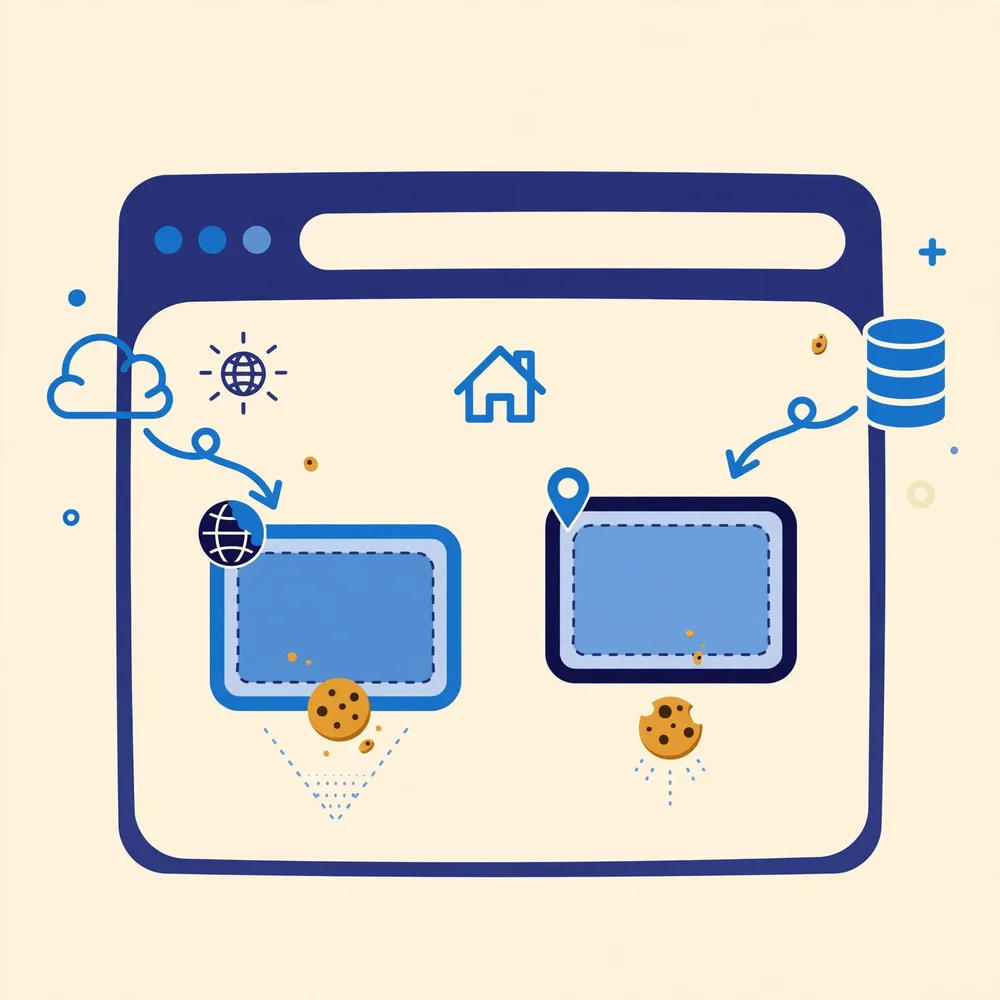
A cookie is “third-party” when the domain that set it is different from the site in your address bar. Pages routinely embed content from other domains, videos, maps, chat widgets, payment buttons, analytics, and those embedded services can try to store cookies under their own domains. Because the same embedded service appears on many sites, its cookies historically let it recognise your browser across all of them, which is why third-party cookies sit at the centre of the web's privacy debate.
First-party vs third-party, in one example
You visit shop.example. The shop sets theme=dark, a first-party cookie, set by the site you are on. The page also embeds a video from videos.example, which sets its own cookie under videos.example, from your browser's perspective on this page, that is a third-party cookie. Open Cookie Editor on the shop page and the list is organised around the site you are using; the embedded domain's cookies belong to that other domain's context.
What third-party cookies are used for
- Embedded features, remembering your preferences inside a video player, map or support widget.
- Sign-in helpers, some identity services use cross-site state to keep you signed in across related sites.
- Measurement and advertising, recognising the same browser across sites to count reach or target ads; this is the use browsers and regulators restrict most.
How browsers treat them now
The direction of travel is consistent across browsers, though the details differ. Firefox blocks many third-party cookies by default through its tracking protection and partitions others so they cannot follow you across sites. Safari has blocked most third-party cookies by default for years. Chrome restricted them in Incognito first and has been rolling out user controls and site prompts rather than a single switch-off, after its earlier phase-out plans changed. The practical result: a third-party cookie that a guide from a few years ago assumes will work may be blocked or partitioned today, and sites increasingly store state first-party or ask for permission instead.
What this means when you use Cookie Editor
Cookie Editor shows cookies in the context of the active tab's site. If an expected cookie from an embedded service is missing, browser third-party blocking is a likely cause, check the page in a browser profile with tracking protection relaxed for your test, and remember the difference is a browser policy, not an extension fault. The permissions guide covers the related site-access settings, and the flags that govern cross-site sending (SameSite) are explained in Cookie Fields Explained.
Finding third-party cookies yourself
Open a content-heavy page, a news article with embeds and ads, and open Cookie Editor. The list you get is centred on the site you are visiting; to see the wider picture, your browser's site-data screen (in its privacy settings) shows storage grouped by every domain that has data on your device, and the unfamiliar names there are mostly third parties: video platforms, analytics providers, advertising networks, comment systems. Deleting one of those domains and revisiting the page is a safe experiment: the page still works, but something, a view counter, a recommendation, an ad choice, starts again from zero.
What blocking them changes, honestly
Blocking third-party cookies makes cross-site tracking much harder, which is why browsers are doing it by default. It does not make you invisible: sites can still recognise their own visitors with first-party cookies, and other techniques exist. It can also break things that were built assuming third-party access, an embedded tool that needs its sign-in cookie, a payment or chat widget inside another site. Browsers handle this with exceptions and prompts rather than a hard wall, and the trend is toward asking you, per case, instead of deciding silently. Knowing what a third-party cookie is turns those prompts from interruptions into informed choices.
| Situation | Kind | Why |
|---|---|---|
| Theme cookie set by the news site you are reading | First-party | The domain matches the site in the address bar |
| Cookie set by the video embedded in that article | Third-party | It belongs to the video company's domain |
| Sign-in cookie on your bank's own site | First-party | Set and read by the same domain |
| Analytics cookie set by a measurement service on a shop | Third-party | The service's domain differs from the shop's |
Same-site is not the same as first-party
One refinement is worth adding once the basics are comfortable. Modern browsers also talk about 'same-site' cookies, and it is not a synonym for first-party. A cookie can be first-party, set by the site you are visiting, yet still travel in some cross-site situations depending on its SameSite setting; and services on subdomains of the same owner count as same-site while looking like separate domains. For everyday purposes the first-party and third-party distinction in this article is the one that explains what you see. When you start testing embeds and sign-in flows seriously, the SameSite field in Cookie Fields Explained is the next layer, and it builds directly on what you now know.
Frequently Asked Questions
Are third-party cookies illegal?
No. They are a normal web mechanism whose use is regulated, for example, consent rules in some regions govern using them for advertising or analytics. Blocking is a browser policy choice, not a legal ban on the technology.
If I delete a site's cookies, are third-party ones deleted too?
Deleting cookies for the site you are on removes that domain's cookies. Cookies stored under an embedded service's own domain are managed under that domain, your browser's site-data settings show every domain separately.
Will third-party cookies disappear completely?
Support keeps narrowing, especially for cross-site tracking, but embedded features still need state. Expect partitioning (per-site isolation) and permission prompts to keep growing rather than a single day when they vanish.
Related guides

What Are Browser Cookies? A Plain-English Guide
Cookies are small notes a website asks your browser to keep. What they store, why sites use them, and how to look at yours.
Cookie Fields Explained: Name, Value, Domain, Path, Expiry and Flags
Name, value, domain, path, expiry, Secure, HttpOnly, SameSite, what each field in Cookie Editor means and what changing it does.

Is Cookie Editor Safe? Permissions, Data and Safe Habits
Cookie access is powerful, so the question deserves a straight answer: what the genuine extension does, what it never needs, and the habits that keep you safe.